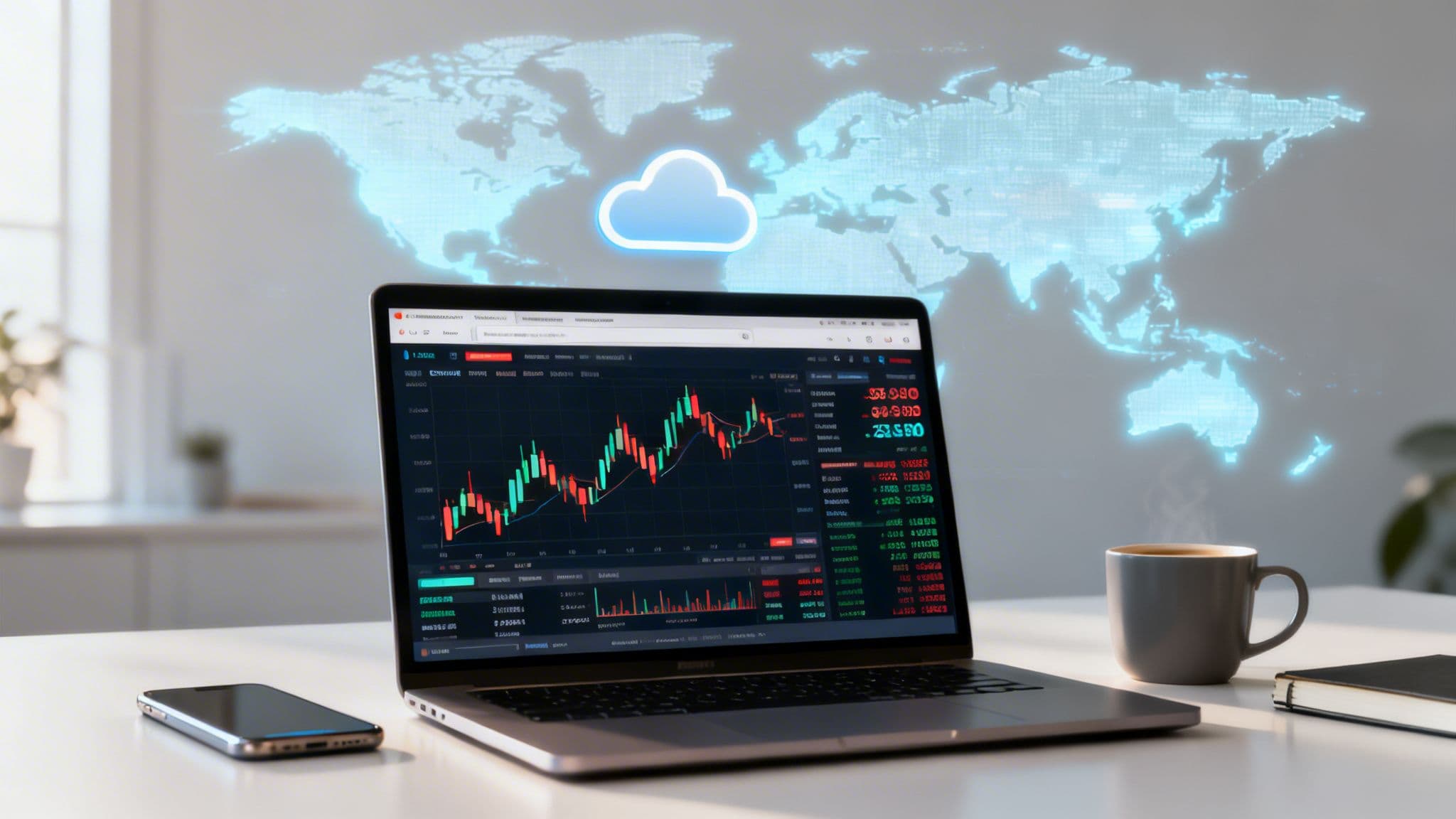
At its core, the MetaTrader Web Terminal is simply the browser-based version of the widely-used MT4 and MT5 platforms. It gives your team secure access to live market data and essential account tools from any computer—no installation required. Think of it as your financial command centre in the cloud.

A Financial Dashboard That Works Anywhere
You wouldn't install heavy analytics software on every team member's machine just to check website traffic—you'd use a cloud-based tool like Google Analytics. The MetaTrader Web Terminal applies that same logic of instant, browser-based access to the world of currency markets.
It’s important to realise that this isn’t a separate product. It's a web portal to your existing MetaTrader 4 or 5 account. For finance professionals in South Africa, that distinction is vital. It means getting quick, reliable market insights without the headaches of managing desktop software across the company.
Bridging the Gap Between Power and Simplicity
The real strength of the Web Terminal is how it simplifies access to financial markets. Instead of being chained to a specific office PC where the trading software is installed, your finance team can monitor currency movements and manage foreign exchange (FX) risk from anywhere with an internet connection.
For a South African business paying international suppliers, this is a game-changer. A finance manager can check the live USD/ZAR rate from a laptop at home or while travelling, ensuring they can execute payments at a favourable moment without being tied to the office.
This kind of flexibility is crucial for agile financial management. By stripping away technical barriers and presenting core tools in a familiar browser window, the Web Terminal empowers teams to focus on what really matters: making smart strategic decisions.
What This Means for South African Businesses
For local companies navigating the global market, the Web Terminal offers a direct and practical way to stay on top of their financial positions. It removes complexity but keeps the essential tools needed for effective oversight.
Below is a quick summary of how its key features translate into direct benefits for finance teams.
MetaTrader Web Terminal at a Glance
| Feature | Benefit for SA Businesses |
|---|---|
| Instant Login | Access live rates, manage open positions, and analyse charts from any modern browser. |
| Zero Installation | Frees up your IT department by eliminating software downloads, updates, and maintenance. |
| Encrypted Connection | All activity runs over secure HTTPS, protecting your sensitive account information from threats. |
| Full Account Synchronisation | Any action taken on the web is instantly reflected on desktop and mobile clients, and vice-versa. |
Ultimately, by providing this streamlined access, the MetaTrader Web Terminal becomes an indispensable tool for any South African business looking to manage its FX exposure more efficiently in 2026.
Key Features for Modern Finance Teams
It’s easy to think of the MetaTrader Web Terminal as just a convenient way to trade from a browser, but its real strength for a finance team lies in its features. These aren't just tools for speculation; they're practical instruments for managing real-world financial risk.
Take one-click trading. For a high-frequency trader, it's about speed. For a South African CFO, it’s about precision.

Imagine you need to execute a critical USD/ZAR hedge at a specific rate. A few pips can mean the difference of thousands of rands on your balance sheet. The ability to act instantly, without fumbling through menus, makes one-click trading an essential corporate finance tool, not just a trader’s gimmick.
Visualise Market Patterns to Inform Strategy
But it’s not all about speed. The platform’s analytical objects are where you can really build a strategic edge. These are more than just lines on a chart for technical analysts; they help finance teams actually see what the market is doing.
For example, an export business waiting on a large payment in euros can use trend lines to map the EUR/ZAR exchange rate's recent behaviour. This helps them spot historically good (or bad) times to convert that revenue back into rands, giving them a much better chance of protecting their profit margin. It’s a far cry from just reacting to whatever the rate is on payment day.
The terminal comes packed with 30 built-in technical indicators and 24 graphical objects to help you do exactly this kind of forward-thinking analysis.
The goal is to reframe these platform features as indispensable risk management instruments. By turning raw market data into clear visual patterns, finance teams can make more informed and strategic decisions about international payments and revenue conversion.
Core Functionality for Financial Oversight
Of course, you can't manage what you can't measure. A clear, detailed record of every transaction is non-negotiable for proper financial governance. The Web Terminal gives you full access to your account history, lets you generate trade reports, and even allows you to download data for deeper analysis in Excel or other software.
This transparency is vital for internal audits, reviewing hedging performance, and planning future strategies. It ensures every currency transaction is accounted for and justifiable. If your team is used to the desktop version, many of the same principles apply, and checking out some useful tips and tricks for using MetaTrader 4 can get you up to speed quickly on the web interface.
The platform neatly organises its core tools into three main areas:
- Market Watch: Your live feed of currency pairs and other instruments, showing real-time bid and ask prices.
- Charts Window: This is your main workspace for watching price action, adding indicators, and drawing your analysis.
- Toolbox: The hub for your account itself. Here you'll find open positions, your full trade history, alerts, and system logs.
Once your team gets a handle on these features, the MetaTrader Web Terminal stops being just a piece of software and becomes the control panel for protecting the company’s bottom line from currency risk.
How to Access the Web Terminal in Minutes
Getting your team onto the MetaTrader Web Terminal is refreshingly simple. There’s no software to download or install, which means you can get straight to managing your accounts from just about any computer with an internet connection.
Your starting point is your broker. They’ll have a specific link on their website, usually marked with a "Launch Web Terminal" button. Make sure you only use the official link your broker provides; this guarantees you’re connecting directly to their secure trading server, not a fraudulent lookalike.
Logging Into Your Account
Once you click through, you'll land on the login screen. The process is the same whether you're using an MT4 or MT5 account and just requires three key details.
- Login: This is your unique trading account number.
- Password: The password for that specific account.
- Server: You'll need to pick the correct server from a dropdown menu. Your broker would have sent you this information when you first opened the account.
Pop in those details, hit "OK," and you're in. The platform loads in seconds, giving you a complete view of your account. You'll find the layout feels familiar if you've used the desktop version before.
This is what you'll see—the Market Watch on the left, your main chart window taking up the centre, and the Toolbox with your trades and history at the bottom. Right away, you can track live rates, analyse price movements, and check your open positions. It all happens within a single browser tab, keeping things clean and focused.
A Critical Security Check
Before you even think about typing in your login details, there’s one quick but vital check to perform. This is non-negotiable, especially when you’re handling company funds.
Always verify that the website address begins with "https://" and displays a padlock icon in your browser's address bar. This confirms that your connection is encrypted, protecting your account number and password from being intercepted.
This tiny step is your first line of defence in keeping sensitive financial data safe. By following this simple routine, you can confidently access the full power of MetaTrader from any machine, ready to manage your business's forex exposure in minutes.
Web Terminal vs Desktop vs Mobile
Deciding which MetaTrader interface to use really comes down to what you need to accomplish at any given moment. Although the Web, Desktop, and Mobile versions all sync up with the same account, they’re built for entirely different scenarios. It's best to think of them not as competing options, but as a complete toolkit for managing your financial operations.
The MetaTrader Web Terminal is your go-to for quick, universal access. It’s perfect when you need to check the markets or make a few adjustments from a computer that isn't your primary work machine—whether you're in a different office, at home, or travelling. Its real strength is convenience. No downloads, no installation, no fuss.
This flowchart shows just how simple it is to get up and running, as long as you have your credentials handy.

The directness of this process really underscores the platform's mission: immediate access without the usual technical headaches that come with financial software.
The Heavy-Duty Workshop: Desktop
The Desktop client is the undisputed powerhouse of the trio. It's the only version that can run automated trading strategies, which you'll know as Expert Advisors (EAs), and it’s the only one that lets you install custom indicators.
This makes the desktop version essential for anyone doing deep analysis, back-testing complex strategies, or deploying automated risk management programs. If your finance team has spent time developing its own proprietary tools, the desktop client is simply non-negotiable.
The On-the-Go Command Centre: Mobile
Finally, we have the Mobile app, which is all about speed and immediacy. It’s what you’ll use to check open positions during a commute, close out a trade after a sudden market announcement, or get price alerts when you’re miles away from your desk.
Sure, its analytical tools are more limited than the others, but deep analysis isn't its job. The app exists to keep you connected and empower you to react instantly, no matter where you are.
Each platform shines in its own specific context. The Web Terminal gives you accessibility, the Desktop platform offers analytical depth and automation, and the Mobile app provides on-the-go control. A smart finance professional will find themselves using all three.
For example, a CFO might use the Desktop client at the head office to build and deploy a long-term hedging strategy. Later, they could monitor its performance using the Web Terminal on a laptop during a business trip and then use the Mobile app to execute an urgent trade after hours.
Platform Comparison: Web vs Desktop vs Mobile
To make the choice even clearer, it helps to see how the platforms stack up against each other. Each has a distinct role to play, and picking the right one depends entirely on your specific needs and situation.
| Attribute | Web Terminal | Desktop Client | Mobile App |
|---|---|---|---|
| Accessibility | Excellent. Runs in any modern browser without any installation. | Limited. Requires software installation on a dedicated PC or Mac. | Excellent. Accessible from anywhere with a smartphone and internet. |
| Automation (EAs) | No. It does not support Expert Advisors or custom scripts. | Yes. Full support for automated trading and custom indicators. | No. Lacks support for any automated trading functions. |
| Analytical Power | Good. Comes with a solid set of built-in indicators and drawing tools. | Excellent. The most powerful option for deep technical analysis. | Basic. Offers essential charting tools for quick market checks. |
| Best Use Case | Quick access, monitoring, and manual trading from any computer. | In-depth analysis, strategy back-testing, and running automated programs. | On-the-go position management and executing urgent trades. |
Ultimately, you aren’t choosing one platform over the others forever. You’re simply selecting the best tool from your toolkit for the task you have right in front of you.
Security and Reliability for Business Use
Let's be frank: when you're managing company funds, moving your trading operations into a web browser can feel like a leap of faith. The biggest question isn't about convenience—it's whether the MetaTrader Web Terminal is genuinely secure and reliable enough for critical business transactions.
Thankfully, the platform was built with this concern in mind. Every piece of data travelling between your browser and your broker’s server is fully encrypted. Think of it as the same digital armour that protects your online banking. Your login details, trade instructions, and account balances are scrambled, making them completely unreadable to anyone trying to intercept them.
Data Encryption and Integrity
This isn't an optional feature; it's fundamental to how the platform operates.
The platform uses the HTTPS protocol for all communications. This ensures that every piece of information, from your login credentials to your trade execution commands, is securely encrypted, safeguarding data confidentiality and integrity from end to end.
This encrypted tunnel is always active, keeping your financial activities private. To keep things tight on your end, it’s also good practice for teams to establish a secure way to share passwords when multiple users need access to the terminal.
Designed for Performance and Transparency
Security is one thing, but what about performance? A platform that crashes during a volatile market is a liability. The Web Terminal is surprisingly light on its feet, designed to run smoothly in modern browsers like Chrome, Firefox, and Edge without hogging system resources. It performs reliably even on standard office computers, preventing frustrating lags when timing is everything.
This reliability is backed by a commitment to data transparency. For instance, MetaTrader’s extensive History Center allows you to review and download detailed historical price data. This is crucial for auditing, back-testing strategies, and performing in-depth financial analysis. You can learn more about how to access and use this historical data to support your business decisions.
Ultimately, the combination of robust encryption, stable performance, and transparent data access proves that you don't have to sacrifice security for the convenience of a web-based platform.
Strategic Use Cases for SA Businesses
For South African businesses involved in international finance, the MetaTrader Web Terminal is more than just a window to the markets. It’s a powerful tool that helps you move from simply reacting to currency swings to proactively managing them. This is how you turn currency exposure from a risk into a calculated part of your business strategy.

Let's put this into practice. Imagine a local company exporting wine to Europe. Their revenue comes in euros, but their costs—from farm labour to bottling—are all in rand. The timing of when they convert those euros back home can seriously impact their profit margins.
From Speculation to Corporate Planning
Instead of just accepting whatever the EUR/ZAR rate is on a given day, the finance team can use the web terminal’s charting tools to get a bigger picture. This isn't about speculating like a day trader; it's about informed financial planning.
By applying standard indicators like Moving Averages, they can analyse market sentiment and spot historical patterns. This gives them a data-backed foundation to forecast revenue more accurately and choose better moments to repatriate funds, directly protecting their bottom line.
Here's another real-world scenario. A Business Process Outsourcing (BPO) firm in Cape Town bills its American clients in US dollars. They know a large payment is coming, but the daily chop in the USD/ZAR rate makes it impossible to know the final rand value they'll receive.
Using the MetaTrader Web Terminal, the finance manager can set up specific price alerts. If the USD/ZAR rate climbs to a target that maximises their rand income, they get an instant notification. This allows them to act immediately and coordinate the conversion, locking in a more profitable rate without being glued to a screen all day.
The platform effectively repurposes trading tools for corporate financial strategy. Price alerts and trend analysis become your instruments for optimising cash flow and managing currency risk—delivering tangible value that goes far beyond simple market watching.
Data-Driven Decisions for International Payments
This approach gives businesses the confidence to make smarter decisions about large international payments. You’re not trying to predict the future, but rather make a more educated decision based on the market data at hand. That strategic layer of analysis can be a huge competitive advantage.
On top of that, the platform’s ability to generate detailed history reports is invaluable. This feature is crucial for businesses that need to reconcile foreign exchange transactions, prepare for audits, or analyse how well their hedging strategies have performed over time. You can learn how to generate advanced reports on MetaTrader to achieve better financial oversight.
Your Questions, Answered
Let's tackle some of the most common questions we hear about the MetaTrader Web Terminal. Getting these straight will help your team understand exactly what the platform can—and can't—do.
Do I Need to Install Anything?
Absolutely not. One of the biggest advantages of the Web Terminal is that it runs entirely in your web browser. There is zero installation required.
This means you and your finance team can log in and start trading from any computer with an internet connection, anywhere in the world. It’s perfect for teams that are remote, travelling, or simply want to avoid the hassle of software maintenance.
Can I Use Custom Indicators or Trading Robots?
No, the Web Terminal is built specifically for manual trading and analysis. It comes packed with a solid set of built-in tools, but it doesn't support custom indicators or automated trading strategies, often called Expert Advisors (EAs).
If your strategy relies on automation, back-testing, or proprietary indicators, you'll need to use the downloadable desktop version of MetaTrader. The Web Terminal really shines when it comes to accessibility and hands-on manual control.
Is the Web Terminal Secure for Business Use?
Yes, it is. Security is a top priority, and all the data moving between your browser and the trade server is fully encrypted. The platform uses the HTTPS protocol—the same encryption standard that protects your online banking and other sensitive financial activities.
To keep your operations secure, just make sure you always log in through the official link your regulated broker provides. This makes the Web Terminal a genuinely robust and safe tool for managing corporate finances.
Managing international payments doesn't have to be complicated or expensive. With Zaro, you get real exchange rates, zero hidden fees, and an enterprise-grade platform built for South African businesses. See how much you can save on your next global transaction.